What Should You Learn After Core Java? A Complete Roadmap for Beginners
Skills IT Academy Content Team
October 19, 2026
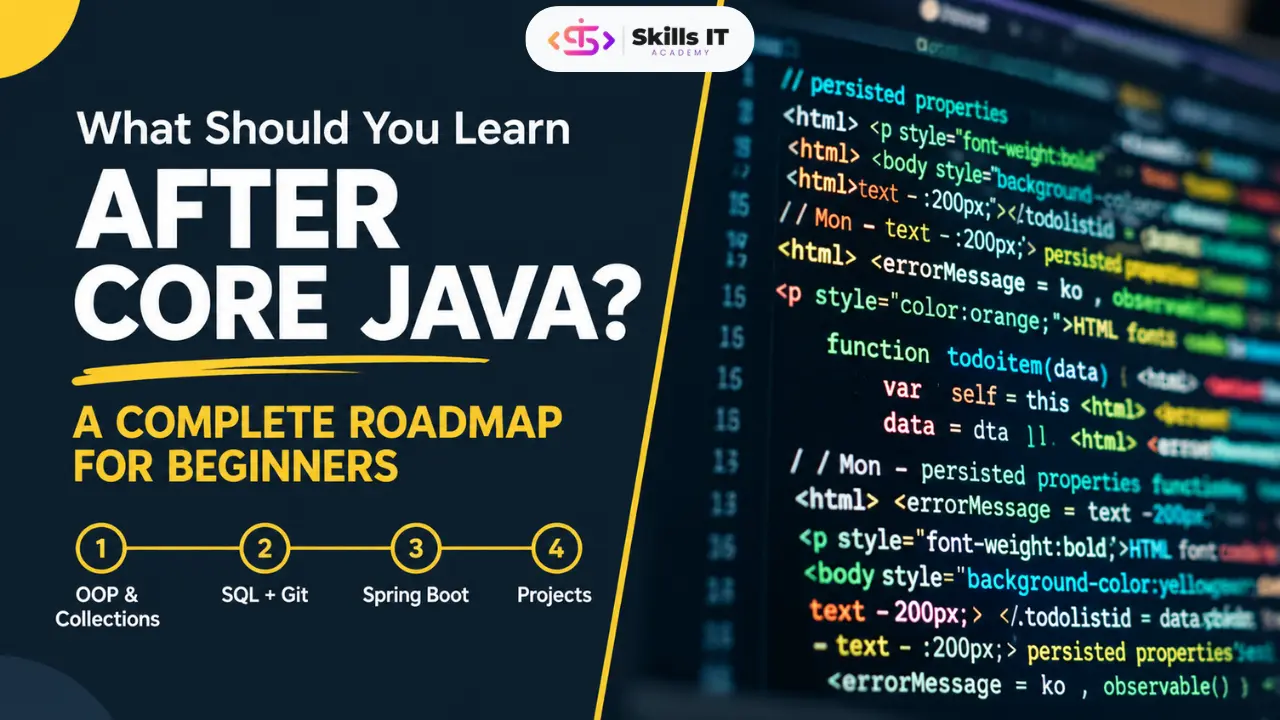
Learning Core Java is an important first step toward becoming a Java developer. It helps you understand programming fundamentals, object-oriented programming, data types, loops, arrays, collections, exception handling, and other essential concepts. However, if you want to build real-world applications and prepare for Java developer opportunities, you need to learn more than Core Java.
The next step is to understand which technologies to learn, how they work together, and how to apply them through practical projects. In this guide, we will explore what you should learn after Core Java, the skills required for Java development, and a practical learning roadmap for freshers and aspiring software developers.
1. Revise Your Core Java Fundamentals
Before moving to advanced technologies, make sure your Core Java concepts are clear. A strong foundation will help you understand frameworks and solve programming problems more effectively.
Focus on these important topics:
- Object-Oriented Programming (OOP)
- Classes, objects, inheritance, and polymorphism
- Abstraction and encapsulation
- Strings and arrays
- Collections Framework
- Exception handling
- Generics
- Multithreading basics
- File handling
- Lambda expressions and Stream API
- Important features introduced in modern Java versions
Why is this important?
Advanced Java technologies use Core Java concepts extensively. For example, collections are useful when handling application data, exception handling helps manage errors, and OOP principles support maintainable application design.
Revise these topics by writing small programs instead of only reading theory.
2. Learn SQL and Database Fundamentals
After revising Core Java, the next important step is learning how applications store and retrieve data.
SQL (Structured Query Language) is used to communicate with relational databases. Java applications commonly use databases to store information such as user accounts, product details, orders, and employee records.
Important SQL topics include:
- Database and table creation
- Primary keys and foreign keys
- SELECT, INSERT, UPDATE, and DELETE
- WHERE, ORDER BY, and GROUP BY
- Joins
- Aggregate functions
- Subqueries
- Constraints and relationships
- Basic database design
You can practice using databases such as MySQL or PostgreSQL.
For example, consider an employee management application. You may need to store employee names, departments, salaries, and contact information in a database. SQL helps you insert, update, and retrieve this information.
Learning SQL will also prepare you for JDBC, Hibernate, and Spring Boot application development.
3. Understand JDBC
JDBC stands for Java Database Connectivity. It provides a standard way for Java applications to connect to databases and execute SQL statements.
After learning Core Java and SQL, JDBC helps you understand how Java code interacts with stored data.
Key JDBC concepts include:
- Database connectivity
- JDBC drivers
- Connection and Statement
- PreparedStatement
- ResultSet
- Executing SQL queries from Java
- Exception handling during database operations
- Basic transaction management
For practice, create a simple student management application that can add student records, display student details, update information, and delete records.
JDBC is especially useful for understanding the fundamentals of database access before moving to higher-level persistence frameworks.
4. Learn Advanced Java and Web Fundamentals
If you want to develop web applications, learn the basic concepts behind how they work.
Depending on your course and career path, Advanced Java may include topics such as Servlets, JSP, session management, and request-response handling.
Important concepts include:
- Client-server architecture
- HTTP requests and responses
- Servlets
- JSP (JavaServer Pages)
- Sessions and cookies
- Form handling
- Basic HTML, CSS, and JavaScript
- Web application structure
Servlets help process web requests on the server, while JSP has traditionally been used to generate dynamic web pages.
Although modern Java backend development often focuses on Spring Boot and REST APIs, understanding web fundamentals can make it easier to understand server-side application development. Learn Servlets and JSP in more depth when they are relevant to your syllabus, target roles, or existing projects.
5. Learn Hibernate and JPA.
Once you understand Java database connectivity, consider learning Hibernate and JPA.
JPA (Java Persistence API) defines a standard approach for mapping Java objects to relational database tables. Hibernate is a widely used implementation of JPA.
These technologies reduce the amount of repetitive database interaction code required in many applications.
Important topics include:
- Object-relational mapping (ORM)
- Entities and entity classes
- Primary key mapping
- Relationships between entities
- CRUD operations
- JPQL basics
- Lazy and eager loading
- Transactions
- Entity relationships such as one-to-one, one-to-many, and many-to-many
For example, in a library management system, you might create Java entities for books, authors, and borrowers. JPA and Hibernate help map these objects to database tables and manage their relationships.
Learn the fundamentals of SQL first. Understanding what happens in the database will help you use ORM frameworks more effectively.
6. Learn Spring Framework and Spring Boot
Spring is one of the most important technologies to consider if your goal is Java backend development.
The Spring Framework provides features for building maintainable applications, including dependency injection and application configuration. Spring Boot simplifies application setup and development by providing sensible defaults and convenient configuration.
Start with these topics:
- Dependency injection
- Inversion of Control (IoC)
- Spring Beans
- Spring configuration
- Spring Boot project structure
- Controllers and services
- Repository layer
- Configuration properties
- Database integration
- Validation and exception handling
- Basic application testing
Spring Boot allows developers to create Java applications with less manual configuration.
For example, you can build an employee management REST API using Spring Boot, connect it to a database, and implement operations to create, view, update, and delete employee records.
For many aspiring Java backend developers, Spring Boot is a key technology to learn after building a solid foundation in Core Java, SQL, and basic database connectivity.
7. Understand REST APIs
REST APIs allow different applications to communicate with one another over HTTP. They are commonly used in web applications, mobile applications, and backend services.
Java developers frequently build REST APIs using Spring Boot.
Important concepts include:
- REST architecture basics
- HTTP methods: GET, POST, PUT, PATCH, and DELETE
- Request and response formats
- JSON
- HTTP status codes
- API endpoints
- Request validation
- Error handling
- API testing using Postman
For example, an online shopping application may use REST APIs to retrieve product details, create orders, and update customer information.
Practise creating a REST API that connects to a database and supports CRUD operations. This will help you understand how backend applications work in practical scenarios.
8. Learn Git and GitHub
Technical skills are important, but developers also need to manage and share their code effectively.
Git is a version control system that tracks changes in source code. GitHub is a platform where developers can host repositories and collaborate on projects.
Learn these basic Git commands and concepts:
- Creating a repository
- git init
- git add
- git commit
- git status
- git push
- git pull
- Branches and merging
- Resolving basic merge conflicts
Upload your practice programs and projects to GitHub. Write a clear README file explaining each project's purpose, technologies, setup instructions, and features.
A well-organized portfolio can help you demonstrate your practical learning when applying for internships or entry-level developer roles.
9. Understand Maven and Development Tools
Maven is a build and dependency management tool widely used in Java projects. It helps manage libraries, project configuration, and build processes.
As you begin working with larger applications, learn:
- Maven project structure
- The pom.xml file
- Dependencies and dependency versions
- Build and test commands
- Project packaging
- Basic debugging in an IDE
- Logging fundamentals
- Postman for API testing
You do not need to master every tool immediately. Focus on understanding how to create, run, test, and maintain a Java project using a standard development workflow.
10. Build Real-World Java Projects
Learning technologies individually is useful, but building projects helps you connect them and understand how software applications work.
Start with small projects and gradually increase their complexity.
Project 1: Student Management System
Technologies: Core Java, JDBC, MySQL
Features may include:
- Add student records
- View all students
- Search by student ID
- Update student details
- Delete records
This project helps you practice Java programming and database connectivity.
Project 2: Library Management System
Technologies: Java, SQL, JDBC, or Hibernate
Features may include:
- Add and manage books
- Maintain borrower records
- Track book availability
- Record book issue and return operations
- Search for books
This project introduces data relationships and practical application logic.
Project 3: Employee Management REST API
Technologies: Java, Spring Boot, Spring Data JPA, MySQL, Postman
Features may include:
- Create employee records
- Retrieve employee information
- Update employee details
- Delete employee records
- Validate incoming requests
- Handle application errors
This project helps you practice backend development using commonly used Java technologies.
Project 4: Online Course Management Application
Technologies: Java, Spring Boot, JPA, SQL, REST APIs
Possible features include course creation, student registration, course listing, and basic enrollment management.
Choose a project that you can explain clearly. Understand the code you write, test the important features, and document the project properly.
11. Prepare for Java Developer Interviews
Along with learning new technologies, start preparing for technical interviews.
Interview preparation should include programming fundamentals, problem-solving, database concepts, and practical project knowledge.
Focus on:
- Core Java and OOP concepts
- Collections Framework
- String manipulation
- Exception handling
- Basic multithreading
- Java 8+ features
- SQL queries and joins
- JDBC fundamentals
- Hibernate and JPA basics
- Spring Boot concepts
- REST API fundamentals
- Coding problems and debugging
- Questions about your own projects
Practise explaining not only what a technology does but also why you used it in a project.
For example, if you used Spring Boot, be prepared to explain how your controller, service, repository, and database layers work together.
12. Career Opportunities After Learning Advanced Java
After developing a strong foundation in Core Java and practicing relevant backend technologies, you can explore entry-level opportunities such as
- Junior Java Developer
- Java Backend Developer
- Software Developer Trainee
- Associate Software Engineer
- Java Application Developer
The skills required vary by employer and job description. Some positions may expect familiarity with Spring Boot, SQL, REST APIs, Git, testing, and basic software development practices.
Completing a course or project does not guarantee a job. Your understanding of concepts, problem-solving ability, project quality, communication, and interview performance also matter.
13. Should You Join Java Training After Core Java?
If you find it difficult to connect programming concepts with real applications, structured Java training may help you learn through guided practice and project work.
When evaluating a Java training program, check whether it covers:
- Core Java concepts and programming practice
- SQL and database connectivity
- Hibernate and JPA
- Spring Framework and Spring Boot
- REST API development
- Git and development tools
- Practical projects
- Coding exercises and interview preparation
Also ask about the trainer's experience, the amount of hands-on practice, the project work included, and the support available when you face technical problems.
If you are looking for Java training in Pune, compare course syllabuses carefully and choose a program that matches your current skill level and career goals.
Frequently Asked Questions
1. What should I learn immediately after Core Java?
Start by revising Core Java concepts, then learn SQL and database fundamentals. JDBC is a useful next step because it teaches you how Java applications communicate with databases.
2. Is Advanced Java necessary after Core Java?
It depends on your career goal and the meaning of Advanced Java in your course. Web fundamentals, Servlets, and JSP can be useful for understanding traditional Java web applications. For many modern backend roles, Spring Boot, REST APIs, SQL, and JPA/Hibernate are also important.
3. Should I learn Spring Boot after Core Java?
Yes, Spring Boot is a strong next step for aspiring Java backend developers. However, first make sure you understand Core Java, OOP, and basic SQL. Learning database concepts and JDBC can also make Spring Boot easier to understand.
4. Is SQL necessary for Java developers?
SQL is important for many Java development roles because applications commonly use relational databases. Learning queries, joins, table relationships, and CRUD operations will help you work with database-driven applications.
5. Can I become a Java developer after learning Core Java?
Core Java provides a foundation, but many developer roles require additional skills. Learning SQL, Spring Boot, REST APIs, database integration, Git, and testing, along with building practical projects, can help you prepare for entry-level opportunities.
6. Which projects should I build after Core Java?
Start with a student management system using Core Java, JDBC, and SQL. Then progress to a library management system or an employee management REST API using Spring Boot and JPA/Hibernate.
7. Do I need to learn frontend development to become a Java developer?
Not necessarily for a backend-focused role. However, basic HTML, CSS, JavaScript, HTTP, and JSON knowledge can help you understand how a frontend communicates with a Java backend.
8. How should freshers prepare for Java developer interviews?
Revise Core Java and OOP, practice coding problems, learn SQL, understand the frameworks listed in your target job descriptions, and build projects you can explain confidently. Regular practice is more useful than memorising interview answers.
Conclusion
Learning Core Java is the beginning of your Java development journey. To move toward application development, strengthen your fundamentals, learn SQL and JDBC, explore Hibernate and Spring Boot, understand REST APIs, and practice using tools such as Git and Maven.
Most importantly, apply your knowledge through projects. Building applications will help you connect individual concepts, identify gaps in your understanding, and demonstrate your skills to potential employers.
Follow a structured learning roadmap, practice consistently, and choose technologies based on the Java roles you want to pursue. With a strong foundation and practical experience, you can work toward becoming a confident Java developer.